
What Is the UploadWords.com Free Tool?
The UploadWords.com free tool is a browser-based text analyzer. You give it a piece of writing, and it tells you how long that writing is and which words show up most often.
It does not rewrite your content or grade it. Think of it as a quick mirror for your draft, not an editor.
Because it runs in the browser, there is nothing to install. That is a big part of why writers and students search for it.
What the Tool Can Do
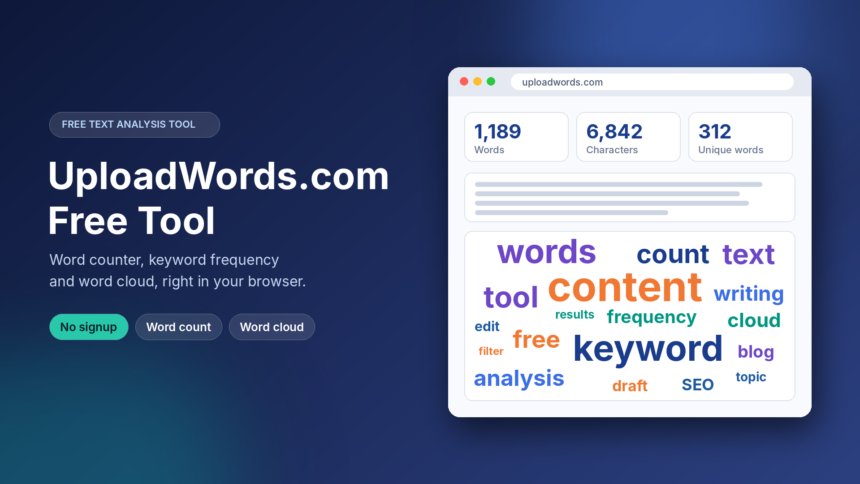
UploadWords.com is built around four jobs: word count, character count, keyword frequency, and word cloud creation.
The keyword list ranks the words that appear most in your text, along with how many times each one appears. The word cloud turns that same data into a picture, where bigger words mean more repeats.
Most versions of the tool also let you filter out common filler words like “the” and “and”. You can also set a minimum word length, so short words do not crowd the results.
Once the results are ready, you can copy them. Some users also download the word cloud as an image.
How to Use It Step by Step
Using it takes less than a minute. Open the site in any browser and paste your text into the box.
Next, check the word and character totals that appear. Then scroll to the keyword list and look at which terms lead.
If common words are taking over, switch on the stopword filter or raise the minimum word length. After that, generate the word cloud and copy or download what you need.
Edit your draft, paste it again, and compare. That loop is where the tool earns its place.
Is It Really Free?
According to the site’s own description, the core features are free and need no account or subscription. You paste, you get results.
There is no publicly listed paid plan that we could find. Still, pricing can change, so check the homepage before you build a work routine around any free tool.
Who Gets the Most Out of It?
Bloggers and SEO writers use it to spot overused words and to check whether the main topic actually shows up in the draft.
Students use it to meet essay length limits without opening a word processor. It is also handy for seeing which words they lean on too much.
Social media and ad copywriters use the character count to stay inside platform limits. Meta descriptions and captions are the usual examples.
Smart Ways to Use the Results
Run your finished post through the tool and look at the top ten words. If your main topic is missing from that list, your draft may have drifted off course.
Look for tics too. A word that appears twenty times in a short article usually needs a synonym or a rewrite.
Use the word cloud as a quick visual check. If the biggest words match your headline idea, you are on track.
And remember that word frequency is not search demand. A word appearing often in your text says nothing about how many people search for it.
What It Does Not Do
This is not a keyword research tool. It will not show search volume, keyword difficulty, or competitor data.
It also does not check plagiarism or fix grammar. For those jobs you need separate tools.
Word clouds are good for a quick look, but they are not exact. When you need precise numbers, read the frequency list, not the picture.
Counts can also differ slightly from Google Docs or Microsoft Word, because each program handles hyphens, numbers, and formatting in its own way.
Privacy and Safety Tips
The site says pasted text is processed to produce your results and is not published publicly. Independent third parties have not verified how the text is handled, so treat that as the site’s own claim.
The safe habit is simple. Do not paste passwords, bank details, ID numbers, medical records, or confidential client work.
For private material, use the word counter built into your offline word processor instead.
Be careful with lookalike domains too. Several sites use similar names, such as versions with “USA” added, and their link to the original tool is not confirmed. Type the address yourself rather than clicking a search ad.
Better Alternatives for Other Needs
If you only need a live word count while typing, Google Docs and Microsoft Word already have one built in. They also keep your text inside the document.
If you need grammar and tone help, a dedicated writing editor is a better fit. For real keyword research, you need an SEO platform with search volume data.
UploadWords.com sits in the gap between these. It is fast, light, and useful for a quick check on a draft.
Final Thoughts
The UploadWords.com free tool does a few simple things and does them without fuss. Paste, check, tweak, repeat.
Use it as a second pair of eyes on your writing, not as a replacement for editing or proper research. Keep private text away from it, and you will get what it is built to give.
Frequently Asked Questions
What is UploadWords.com? It is a free, browser-based text analysis tool. It counts words and characters, lists the most frequent keywords, and creates word clouds.
Is the UploadWords.com free tool really free? Yes. Its core features are described as free, with no account or subscription needed. Check the site for any change in terms.
Do I need to sign up to use it? No. You can paste your text and get results right away.
Can I upload a file instead of pasting text? Plain text pasting works for sure. Some descriptions mention TXT file uploads, but supported formats and size limits are not clearly documented, so test with a small file first.
Is UploadWords.com a keyword research tool? No. It only analyzes the words in the text you provide. It shows no search volume or competitor data.
Is it safe for confidential documents? It is better not to risk it. Keep passwords, financial details, and private client material out of any online tool. Use an offline editor for those.
Does it store my text? The site says text is used for analysis and not published. Read its privacy policy before pasting anything important.
Can I download the word cloud? Many users report a PNG download option for the word cloud. Availability can vary, so look for the download button on the tool page.
Why do some word counts differ from Microsoft Word? Each tool treats hyphenated words, numbers, and symbols differently. Small gaps are normal.
Is “UploadWords.com USA” a different tool? It appears to be a search variation, not a separate product. Several lookalike domains use that name, so go to uploadwords.com directly.